Smartphones have become the central tool of modern life. From banking and navigation to communication and entertainment, people rely on their devices for nearly every aspect of their daily routine. When something goes wrong — a cracked screen, a dead battery, a port that refuses to charge — the urgency to get it fixed is immediate and real. Understanding the most common phone repairs helps you make smarter decisions about how to respond when your device has a problem.
The repair landscape has evolved significantly. Phones are more powerful, more expensive, and more complex than ever before. Manufacturers have introduced tighter component integration, stronger adhesives, and more sophisticated internal systems that make repairs more technically demanding. At the same time, the cost of buying a new flagship device has continued to rise, which makes repairing an existing phone a far more economical choice for most people. In many cases, a professional phone repair costs a fraction of what a replacement device would.
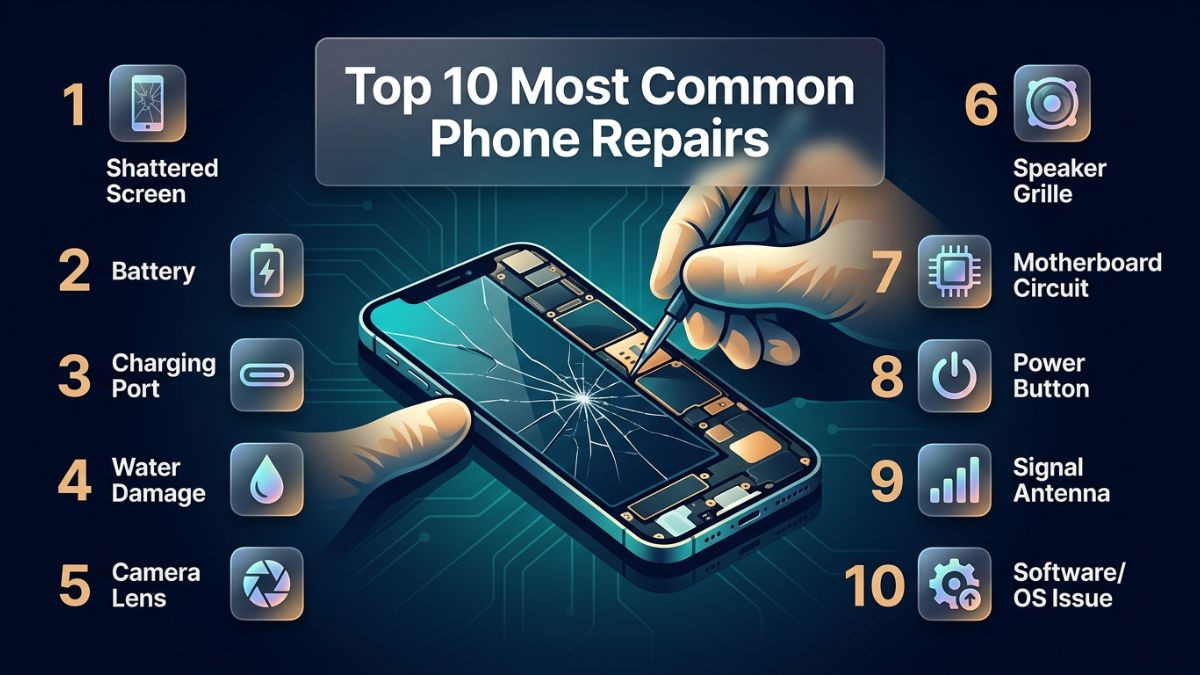
This article covers the top 10 most common phone repairs that technicians handle every day, with particular focus on what is being seen in 2026. Each section breaks down the causes of the problem, the symptoms to watch for, the available repair solutions, and when professional help is the right call. Whether you own an iPhone, a Samsung Galaxy, a Google Pixel, or any other smartphone, this guide applies directly to you.
A key theme throughout this article is that quality repairs are worth investing in. Choosing affordable phone repair services from a reputable local shop — one that uses quality parts, employs skilled technicians, and stands behind their work with a warranty — is almost always the right decision over cutting corners or delaying a repair that will only get worse with time.
Repair #1 — Cracked and Broken Screen Repair
Cracked screens are, without question, the number one reason people walk into a phone repair shop. No matter how careful a phone owner is, a single moment of inattention — a phone dropped from pocket height, slipped off a table, or knocked from a countertop — can result in shattered glass that makes the device difficult or impossible to use. Phone screen repair remains the most requested service at virtually every smartphone repair services provider across the country.
Why Screens Break So Easily
Modern smartphones use large, thin glass panels that prioritize visual quality over physical toughness. Even with advances in Gorilla Glass and ceramic shield technologies, the combination of a glass screen, a hard metal or glass back, and the lack of a protective case creates a device that is genuinely vulnerable to impact. The physics of a phone drop are unforgiving — the screen absorbs the energy of the impact, and if that energy exceeds the structural tolerance of the glass, it cracks.
Screen damage is not always obvious from the outside. Sometimes the protective glass cracks while the display panel beneath it remains intact. Other times, the impact damages the LCD or OLED panel itself, resulting in black spots, distorted colors, lines across the display, or a completely unresponsive screen. In the worst cases, both the glass and the display are damaged simultaneously.
Symptoms of Screen Damage
The most obvious symptom is visible cracking on the screen surface. However, other symptoms can indicate display damage even without visible cracking: a screen that flickers unpredictably, areas of the display that do not respond to touch, dark spots or blotches spreading across the screen, or a portion of the display that goes completely black while the rest functions normally. These symptoms indicate that the display panel itself — not just the outer glass — has sustained damage.
Repair Options
For iPhone users, iphone screen replacement service is the standard solution, and the type of panel used matters significantly. Apple uses OLED panels in its current flagship iPhones, and quality replacements range from OEM Apple displays to high-grade aftermarket panels. For Android users, android screen repair covers a wide range of devices and display technologies, from Samsung's Super AMOLED to standard IPS LCD panels used in budget devices.
A cracked screen repair service at a reputable shop typically takes between 30 and 90 minutes for most popular models. The technician removes the damaged screen assembly, installs a quality replacement, tests all touch and display functions, and seals the device. Most professional shops also offer a warranty on the replacement screen and the labor.
| Screen Damage Type |
Display Still Works? |
Repair Required |
| Surface glass crack only |
Yes |
Glass or full assembly replacement |
| Cracked glass + display lines |
Partially |
Full screen assembly replacement |
| Black spots spreading |
Yes but degrading |
Full screen assembly replacement |
| Completely black screen |
No |
Screen + possible motherboard check |
| Touch unresponsive |
Partially or no |
Full screen assembly replacement |
Temporary protective measures — like applying a clear film over a cracked screen — can slow the spread of cracks and reduce the risk of cuts from sharp glass edges, but they are not a fix. A cracked screen left unrepaired often worsens over time, and moisture can infiltrate through the cracks and cause secondary damage to internal components.
Repair #2 — Battery Replacement and Battery Drain Issues
Battery problems are the second most common issue reported at any cell phone repair shop near me. Lithium-ion batteries, used in every modern smartphone, have a finite chemical lifespan. After a certain number of charge cycles — typically between 300 and 500 full cycles — the battery's capacity degrades noticeably, and the phone begins to show the familiar signs of battery failure.
Signs Your Battery Needs Replacement
The most common symptom is a battery draining fast fix phone situation, where a phone that used to last all day on a single charge now dies by early afternoon. Other symptoms include the battery percentage jumping erratically — dropping from 40% to 10% instantly, or climbing unexpectedly when the charger is connected. Some phones begin shutting off spontaneously at seemingly adequate battery levels. A physically swollen battery, which causes the screen to lift away from the frame or the back panel to bulge, is a serious safety concern that requires immediate attention.
On iPhones, the Battery Health feature in Settings provides a direct readout of battery capacity as a percentage of its original design capacity. When that figure drops below 80%, the battery's performance degradation becomes noticeable in daily use, and Apple itself recommends replacement at that point. Android devices from Samsung and other manufacturers offer similar diagnostics through built-in health tools or manufacturer apps.
The Replacement Process
A phone battery replacement service involves safely opening the device, disconnecting the old battery, removing it (often after applying controlled heat to soften the adhesive holding it in place), and installing a new battery of the correct specification. The process is then reversed, and the phone is tested to confirm charging and power behavior are normal.
Battery replacement is one of the more accessible repairs for experienced DIY users on certain phone models — particularly older iPhones with more straightforward internal layouts. However, on modern flagship phones with tightly integrated designs and adhesive-mounted batteries, the process carries real risk if not performed correctly. Puncturing a lithium-ion battery during a botched removal can cause it to swell, release toxic gases, or in rare cases, ignite. For most users, leaving battery replacement to a professional is the right call.
Extending Battery Life Between Replacements
Keeping the battery between 20% and 80% charge rather than consistently running it to zero and charging to 100% can significantly slow degradation. Avoiding excessive heat exposure — such as leaving the phone in a hot car — also preserves battery chemistry. Many modern smartphones include optimized charging features that learn your habits and slow the final stages of charging to reduce stress on the battery.
Repair #3 — Charging Port Repair
A phone that will not charge is effectively useless within hours. Charging port failure is one of the most disruptive problems a phone owner can experience, and it is among the most common issues that bring people to a professional repair shop. Whether it is a phone not charging fix that is needed, or a full port replacement, this repair requires careful diagnosis before jumping to conclusions.
Causes of Charging Port Failure
The most common cause of charging port damage is physical — repeated insertion and removal of the charging cable gradually wears down the internal contacts of the port. Debris such as pocket lint, dust, and small particles also accumulates inside the port over time, creating a physical barrier that prevents the cable from making proper contact. Users who charge their phones frequently while carrying them in pockets or bags are particularly prone to lint accumulation.
Physical damage from a cable being yanked out at an angle, a phone being dropped while plugged in, or liquid exposure can also damage the port internally. In some cases, the issue is not with the port itself but with a software or battery management fault that mimics charging port failure.
Diagnosing the Problem
Before concluding that the port needs replacement, a few simple troubleshooting steps are worth trying. Clean the port carefully using a wooden or plastic toothpick and a puff of compressed air — never use metal objects inside a charging port. Try a different charging cable and adapter to rule out a faulty cable. Try a wireless charging pad if your phone supports it; if wireless charging works normally while wired charging does not, the port is almost certainly the issue.
USB-C and Lightning Port Repairs
Charging port repair service covers both USB C port repair phone situations on Android and Samsung devices, and lightning port repair iphone issues on older iPhone models. USB-C has become the universal standard across most modern smartphones, including iPhones from the iPhone 15 onward. The repair process for both port types involves opening the phone, locating the charging port assembly (which is sometimes a standalone board and sometimes part of a larger flex cable assembly), and replacing the damaged component.
| Charging Issue |
Likely Cause |
Recommended Fix |
| Phone not charging at all |
Debris in port / damaged contacts |
Clean port, then professional replacement |
| Intermittent charging |
Worn port contacts / cable fault |
Try new cable first, then port repair |
| Slow charging only |
Damaged port / faulty cable / software |
Test cable, check settings, then repair |
| Wireless charges but wired doesn't |
Port hardware failure |
Charging port replacement |
| Charges but shows error messages |
Software or accessory incompatibility |
Software check first |
Repair #4 — Water Damage Repair
Water damage is one of the most unpredictable and potentially destructive phone problems. Despite IP water resistance ratings now being common on flagship devices, water damaged phone repair remains a regularly requested service at every professional repair shop. IP ratings provide resistance, not immunity, and many phones sustain water damage in ways that fall well outside the tested conditions.
How Water Damage Happens
A common misconception is that only submersion causes water damage. In reality, humidity, steam, rain, a spilled drink, or even a phone left in a bathroom during a hot shower can introduce enough moisture to cause problems. IP68-rated phones are tested under specific laboratory conditions; an older phone with worn seals, a phone that has been previously repaired without proper resealing, or a phone dropped in salt water or chlorinated water may sustain damage despite having a theoretical water resistance rating.
Symptoms of Water Damage
A liquid damage phone fix is needed when the phone begins behaving erratically after moisture exposure. Common symptoms include a flickering or discolored screen, speaker distortion, unresponsive touch input, failed charging, and random reboots. The phone may also simply stop functioning entirely — refusing to power on at all. Some water damage symptoms appear immediately; others develop over days as corrosion spreads through the internal circuitry.
What to Do Immediately After Water Exposure
Power the phone off immediately if it is still on — do not attempt to charge it or test buttons repeatedly. Remove the SIM card tray and any case. Do not use a hair dryer, microwave, or rice to dry the phone — these methods range from ineffective to actively harmful. Rice does not adequately absorb moisture from internal components, and heat from a dryer can damage the display and battery. Bring the phone to a professional repair service as quickly as possible.
Professional Water Damage Repair
At a professional shop, water damage repair involves carefully disassembling the phone, cleaning all internal components with 99% isopropyl alcohol using an ultrasonic cleaner or manual cleaning techniques, and assessing which components have sustained corrosion damage. In some cases, phone motherboard repair service is required if corrosion has reached the logic board. Microsoldering phone repair may be necessary to replace corroded pads, bridges, or small components on the motherboard that have been damaged by oxidation.
The success rate of water damage repair depends heavily on how quickly the phone is brought in, what liquid it was exposed to (fresh water is less damaging than salt water or sugary drinks), and which components the moisture reached. There is no guarantee of full recovery, but prompt professional attention gives the phone the best possible chance.
Repair #5 — Camera Repair
Camera quality is one of the primary reasons people invest in high-end smartphones, and camera failure is therefore a repair that users take very seriously. Phone camera repair service covers a range of specific problems, from cracked camera glass to internal lens module failures and software-related imaging issues.
Common Camera Problems
A blurry camera fix smartphone situation is one of the most frequently reported camera complaints. Persistent blurriness that does not resolve with lens cleaning is typically caused by a damaged optical image stabilization (OIS) mechanism, a scratched or cracked camera lens, or a loose internal ribbon cable. Autofocus failure — where the camera takes photos but cannot find focus — can be caused by OIS magnet damage from a strong external magnet, impact damage, or a software glitch.
Front camera not working fix situations are also common, particularly after screen replacements where the front camera module was not reinstalled correctly or was damaged during the repair process. A front camera that shows a black screen, displays extreme blurriness, or simply fails to launch often points to a hardware disconnection or module failure.
Back glass cracking over the camera module is another growing issue, particularly on phones with large, protruding multi-lens camera systems. When the glass cover over the rear cameras cracks, it can introduce moisture and dust to the lens, significantly degrading image quality even if the underlying module is intact.
Camera Repair Process
Camera repair involves opening the phone, carefully disconnecting and removing the affected camera module, and installing a replacement unit. For rear cameras on flagship phones — particularly multi-lens systems — the camera modules can be expensive components, and the replacement cost reflects that. Testing is essential after installation to confirm autofocus, optical zoom, image stabilization, and video recording all function correctly.
Repair #6 — Speaker and Microphone Repair
Audio problems significantly impact the usability of a smartphone, and both phone speaker repair service and mobile microphone repair are frequently requested at repair shops. These components are relatively small and are often located in areas of the phone that are vulnerable to impact, moisture, and debris accumulation.
Speaker Issues
A no sound on phone fix situation can range from a simple lint-blocked speaker grille to a fully failed speaker driver. Before assuming the speaker has failed, clean the speaker grille carefully with a soft brush to remove any debris that may be muffling output. If sound is completely absent even after cleaning, and media volume is confirmed to be at maximum, the speaker itself likely needs replacement.
Earpiece speaker failure is a common issue that users notice during phone calls — the person on the other end can hear them fine, but the caller sounds very quiet or completely silent. This is different from the main loudspeaker and requires a separate component replacement. Modern iPhones and Samsung Galaxy phones have multiple speaker units, so identifying which one has failed is an important first step in the repair diagnosis.
Microphone Issues
Microphone failure manifests as the person you are calling reporting that they cannot hear you, even though the earpiece speaker works fine. Callers may describe your voice as muffled, intermittent, or completely absent. This can be caused by a blocked microphone port (dust and debris are common culprits), a damaged microphone element, or in some cases a software issue affecting audio routing.
Many modern smartphones have multiple microphones — one at the bottom for calls, one at the top or back for video recording ambient sound, and sometimes additional mics for noise cancellation. A skilled technician can test each microphone individually to identify which one has failed and replace it specifically, rather than replacing all audio components unnecessarily.
Repair #7 — Software Issues, Boot Loops, and Overheating
Not all phone problems are hardware-related. Software issues make up a significant portion of repair shop visits, and they often confuse users who assume that only physical damage requires professional attention. Phone software repair service covers a range of problems from minor glitches to complete system failures.
Boot Loop Issues
A phone boot loop fix is needed when a phone gets stuck in a cycle of restarting — it powers on, begins the boot process, and then restarts again before reaching the home screen. This can be caused by a failed software update, a corrupted system file, a third-party app that crashes the operating system during startup, or hardware-related issues such as failing storage or RAM.
For software-caused boot loops, recovery mode access allows a factory reset or system restore that usually resolves the problem. However, data on the phone is lost during a factory reset unless a backup exists. If the boot loop is caused by hardware failure — particularly failing internal storage — professional diagnosis is required to determine whether data recovery is possible before any reset is attempted.
Overheating Problems
Phone overheating problem fix requests are increasing as phones become more powerful and thermally demanding. A phone that runs hot during normal use — not just during intensive gaming or video rendering — may have a software issue causing excessive background CPU activity, a battery that is degrading and running inefficiently, or in more serious cases, a hardware fault on the motherboard.
Identifying the cause requires checking which apps are consuming the most CPU and battery in the background, ensuring the operating system is up to date, and testing whether the overheating occurs in safe mode with third-party apps disabled. Persistent overheating that does not improve with software-level solutions warrants a hardware inspection.
Data Recovery from Dead Phones
Data recovery from dead phone situations is one of the most emotionally charged repair requests. When a phone stops working due to severe water damage, a failed motherboard, or a shattered screen, the photos, contacts, messages, and documents stored on the device may seem permanently lost. However, professional data recovery techniques — including chip-off recovery and microsoldering — can often retrieve data from devices that appear completely dead.
The success of data recovery depends heavily on the nature of the failure. Logical failures (corrupted software) are generally more recoverable than physical failures (burned or corroded storage chips). Acting quickly and not attempting DIY solutions that could worsen the damage is critical when data recovery is the priority.
Repair #8 — Back Glass Replacement
Back glass damage was relatively uncommon before manufacturers began using glass backs on mid-range and budget devices in addition to flagships. Now, back glass replacement phone repair is a standard service at most professional shops. The move to glass backs was driven by the need for wireless charging capability, but it introduced a new vulnerability that phone owners quickly discovered.
Why Back Glass Breaks
Glass backs crack and shatter for the same reasons screens do — drops and impacts. However, back glass damage is often underestimated in terms of its importance. A cracked glass back exposes the interior of the phone to dust and moisture, creates sharp edges that are uncomfortable and potentially dangerous to hold, and significantly reduces the resale value of the device.
On some Samsung Galaxy devices — particularly the S series — the back glass is adhered to the frame with strong adhesive, making DIY replacement extremely challenging. The entire back panel must be carefully heated, lifted, and separated without damaging the wireless charging coil, NFC antenna, and other components located directly beneath the glass.
Professional vs DIY Back Glass Repair
For most glass back phones, professional back glass replacement is strongly recommended. The process requires precise heat application, specialized pry tools, and careful handling to avoid damaging the antenna systems and internal components. A professional shop can typically complete the repair in 30 to 60 minutes with the right tools and experience. Attempting this repair without proper tools and a controlled environment frequently results in a cracked replacement panel during installation or damaged internal components during the separation process.
Repair #9 — Button Repairs (Power, Volume, Face ID, Fingerprint Sensor)
Physical buttons and biometric sensors are used dozens of times per day, and they experience more mechanical wear than almost any other component on a phone. Phone power button repair, volume button repair phone, face id repair iphone, and fingerprint sensor repair android are all regular services at professional repair shops.
Power and Volume Button Failures
A stuck, unresponsive, or completely non-functional power button is a significant usability problem — without it, waking the phone, taking screenshots, and in many cases, powering the device on or off becomes difficult or impossible. Volume buttons that stick or do not register presses affect media control, call volume, and the ability to use volume-based shortcuts.
These buttons typically fail due to physical impact that bends or breaks the button mechanism, debris that accumulates and prevents the button from making proper contact, or simple mechanical wear of the internal switch component. Repair involves replacing the button flex cable or switch assembly, which requires careful disassembly of the phone to access the internal mounting point of the button.
Face ID Repair on iPhones
Face ID is one of Apple's most sophisticated systems, integrating a flood illuminator, infrared camera, and dot projector into a small module housed in the notch or Dynamic Island area of the iPhone. When any of these components is damaged — typically through a screen replacement that did not properly preserve the Face ID module — Face ID stops working entirely.
Face ID repair on iPhones is among the most technically demanding repairs in the consumer device repair space. Because the Face ID module is paired to the iPhone's motherboard at a hardware level, replacing the module requires microsoldering and, in many cases, Apple's proprietary pairing tools. Unauthorized Face ID module replacements often result in the feature being permanently disabled. This is a repair that requires a highly skilled technician with specific equipment and experience.
Fingerprint Sensor Repairs on Android
Android phones use fingerprint sensors in several locations — under-display optical sensors, rear-mounted capacitive sensors, and side-mounted sensors integrated into the power button. Each type has its own repair complexity. Under-display fingerprint sensors are typically part of the screen assembly and require a screen replacement when they fail. Rear and side-mounted sensors are usually separate components connected by a flex cable.
Repair #10 — Signal, Wi-Fi, and Bluetooth Issues
Connectivity problems — whether it is a phone signal issue fix, wifi not working on phone fix, or bluetooth issue phone repair — are among the more frustrating phone problems because they are not always immediately obvious in terms of cause. The same symptoms can be caused by software issues, hardware failures, or even external network problems.
Cellular Signal Issues
A phone that displays no signal, constantly drops calls, or struggles to maintain a stable connection in areas where other devices work normally may have a damaged antenna, a failing modem, or a software issue with the carrier settings. No network on phone repair situations are sometimes as simple as resetting network settings — a software-level action that clears cached network data and resets connectivity configurations. Other times, a physical antenna has been disconnected during a previous repair or has been damaged by an impact.
Water damage is a frequent culprit in antenna and modem failures. Corrosion on antenna contact points or modem-related components on the motherboard can gradually degrade signal performance, sometimes manifesting weeks after the initial water exposure incident.
Wi-Fi and Bluetooth Connectivity Problems
Wi-Fi and Bluetooth connectivity issues share many common causes because both wireless systems are often handled by the same combined wireless module within the phone. A phone that suddenly cannot connect to Wi-Fi networks it previously connected to, shows extremely weak Wi-Fi signal, or cannot discover Bluetooth devices may have a software issue that responds to a network settings reset or a software update.
When software solutions fail to resolve persistent Wi-Fi or Bluetooth problems, hardware-level diagnosis is required. The wireless module may be damaged, or its antenna connection may be loose or corroded. This type of repair requires opening the device and inspecting the physical connections, which is a task best left to a professional technician with the right tools and diagnostic knowledge.
12. Repair Cost Overview: What to Expect in 2026
Understanding repair costs helps you make informed decisions rather than being surprised when you visit a repair shop. Costs vary based on the phone model, the type of repair, the quality of replacement parts used, and the repair shop's pricing structure.
| Repair Type |
iPhone (Approx.) |
Samsung Galaxy (Approx.) |
Other Android (Approx.) |
| Screen Replacement (Flagship) |
$150 – $350 |
$150 – $350 |
$80 – $200 |
| Screen Replacement (Budget) |
$80 – $150 |
$60 – $130 |
$40 – $100 |
| Battery Replacement |
$60 – $120 |
$50 – $100 |
$30 – $80 |
| Charging Port Repair |
$70 – $150 |
$60 – $120 |
$40 – $90 |
| Water Damage Repair |
$80 – $200+ |
$80 – $200+ |
$60 – $180+ |
| Camera Repair |
$80 – $250 |
$80 – $250 |
$50 – $150 |
| Back Glass Replacement |
$80 – $200 |
$80 – $200 |
$40 – $120 |
| Speaker / Microphone Repair |
$50 – $120 |
$50 – $120 |
$30 – $90 |
| Button Repair |
$50 – $150 |
$50 – $130 |
$30 – $90 |
| Software / Data Recovery |
$60 – $300+ |
$60 – $300+ |
$50 – $250+ |
These figures represent typical market ranges in 2026 and will vary by location, shop, and the specific device model. Same day phone repair service often carries the same cost as standard service at most reputable shops, though some emergency or after-hours repair services may include a premium.
When evaluating repair costs, always weigh the cost of repair against the cost of replacement. For a phone worth $300 or more, almost any repair on this list is more economical than purchasing a new device. Even for older phones, repair is often justified if the device is in otherwise good condition.
13. DIY vs Professional Phone Repair: Making the Right Choice
The rise of online repair tutorials, affordable tool kits, and third-party parts suppliers has made DIY phone repair more accessible than ever. However, accessibility does not always translate to advisability. Knowing when to attempt a repair yourself and when to seek professional help is a critical judgment call.
| Factor |
DIY Repair |
Professional Repair |
| Screen Replacement (Flagship) |
Not recommended |
Strongly recommended |
| Battery Replacement (Older models) |
Possible with care |
Recommended for best results |
| Charging Port Cleaning |
Safe to attempt |
Not usually needed |
| Charging Port Replacement |
Not recommended |
Recommended |
| Water Damage |
Not recommended |
Immediately required |
| Camera Module Replacement |
Possible on some models |
Recommended |
| Software Reset / Factory Reset |
Safe for most users |
Available if unfamiliar |
| Data Recovery |
Not recommended |
Required for best chance |
| Face ID Repair |
Not possible without Apple tools |
Specialist shop required |
| Back Glass Replacement |
High risk, not recommended |
Recommended |
For genuinely simple tasks — such as cleaning a charging port, adjusting settings to resolve a software glitch, or applying a screen protector — DIY is perfectly appropriate. For anything that requires opening the device, the calculus changes significantly. The risk of causing additional damage to a $700 or $1,000 smartphone during an amateur repair attempt is a serious consideration.
Emergency phone repair near me searches often bring up shops that offer same-day service with experienced technicians. Choosing a reputable professional mobile repair shop eliminates the risk of self-inflicted damage and typically includes a warranty on the repair, providing genuine peace of mind.
14. How to Choose the Right Phone Repair Service
With so many phone repair options available — from manufacturer service centers to independent local shops — choosing the right service provider is not always straightforward. Here is what to look for when selecting a repair service.
Look for Transparency and Communication
A good repair shop will explain the problem clearly, outline your options including part quality tiers and associated costs, and give you a written estimate before beginning any work. Shops that are vague about what parts they use or that avoid answering questions about their repair process are ones to approach with caution.
Check for Warranties
Any reputable repair shop will offer a warranty on both parts and labor. Standard warranties range from 30 to 90 days, with some shops offering longer coverage. A warranty demonstrates that the shop stands behind the quality of their work and the parts they use. Avoid shops that offer no warranty whatsoever.
Verify Technician Experience
Ask about the technicians' experience and training. Shops that invest in their technicians' skills — through formal certification programs, manufacturer training, or years of hands-on experience — produce better repair outcomes. For complex repairs such as Face ID restoration, microsoldering, or data recovery, the technician's specific expertise matters enormously.
Consider Location and Turnaround Time
Searching for phone repair services near me or a broken phone glass repair near me brings up many options, but proximity alone should not be the deciding factor. Turnaround time is important — a shop that offers same-day service for common repairs is a practical advantage — but not at the cost of quality. A slightly longer wait from a shop with an excellent reputation is often a better choice than same-day service from a shop with questionable reviews.
Read Reviews and Ask for Referrals
Online reviews on Google and other platforms give real insight into the experience of previous customers. Look for patterns — not just the overall star rating. Shops that consistently receive praise for communication, fair pricing, and repair quality are the ones worth trusting. Personal referrals from friends, family, or colleagues who have had positive repair experiences are equally valuable.
15. Get Your Phone Repaired Fast and Right — Phone Repair Point Laurel
If your phone has any of the issues covered in this article — a cracked screen, a failing battery, a damaged charging port, water damage, or any other problem — do not wait for it to get worse. Phone Repair Point Laurel is a trusted, local repair service serving Laurel, MD and the surrounding area, specializing in professional mobile repair services for iPhones, Samsung Galaxy phones, and all major Android devices.
Every repair at Phone Repair Point Laurel is performed by experienced, skilled technicians who take pride in their work. Quality replacement parts, transparent pricing, and a clear warranty on every repair are standard practice — not extras. Whether you need a same-day screen replacement, a battery swap, a charging port fix, or a complex repair like data recovery or water damage treatment, the team has the expertise and tools to handle it correctly the first time.
Walk-ins are welcome. You can also call ahead or book online to schedule your repair and minimize wait time. Do not let a broken phone slow you down — affordable, fast, and reliable repair is available right in your area.
Phone Repair Point Laurel
Montrose Ave,
Laurel, MD 20707, United States
(240) 554-0099
https://phonerepairpoint.com/contact
Frequently Asked Questions
Q1: What is the most common phone repair in 2026?
Cracked screen repair remains the single most common phone repair, accounting for the majority of visits to smartphone repair services. The combination of large glass screens and daily handling without protective cases makes screen damage an extremely frequent occurrence across all phone brands and models.
Q2: How long does a professional phone repair usually take?
Most common repairs — including screen replacement, battery replacement, and charging port repair — are completed within 30 to 90 minutes at a professional repair shop. More complex repairs such as water damage treatment, data recovery, or motherboard-level microsoldering can take several hours or longer depending on the extent of the damage.
Q3: Is it worth repairing a phone instead of buying a new one?
In most cases, professional phone repair is significantly more cost-effective than purchasing a new device. Even expensive repairs like screen replacement on a flagship phone typically cost far less than the retail price of a comparable new device. The only exception is when the repair cost approaches or exceeds the current market value of the phone itself.
Q4: Can water-damaged phones be fully repaired?
Water damaged phone repair has a good success rate when the phone is brought to a professional quickly after exposure. The sooner corrosion is addressed with proper cleaning techniques, the higher the chance of full recovery. Phones exposed to salt water, sugary drinks, or left wet for extended periods have a lower recovery rate, though data recovery may still be possible even if the device cannot be fully restored to normal function.
Q5: How do I know if my phone needs a software fix or a hardware repair?
Software issues tend to affect the entire system — sluggishness, random crashes, boot loops, or connectivity problems — while hardware failures are usually localized to a specific function, such as a non-responsive button, a completely dead screen, or a port that will not charge. A reputable repair technician can run diagnostics to accurately determine whether the problem is software or hardware-related before recommending a solution.
Q6: Are same-day phone repair services reliable?
Same day phone repair service at a reputable shop is entirely reliable for common repairs like screen replacement, battery replacement, and charging port repair. The key is choosing a shop with experienced technicians and quality parts, rather than simply selecting the fastest available option. A same-day repair completed correctly by a skilled professional is always preferable to a rushed repair done without care.
Explore advanced website optimization tools designed for faster workflow, SEO, and improved performance.