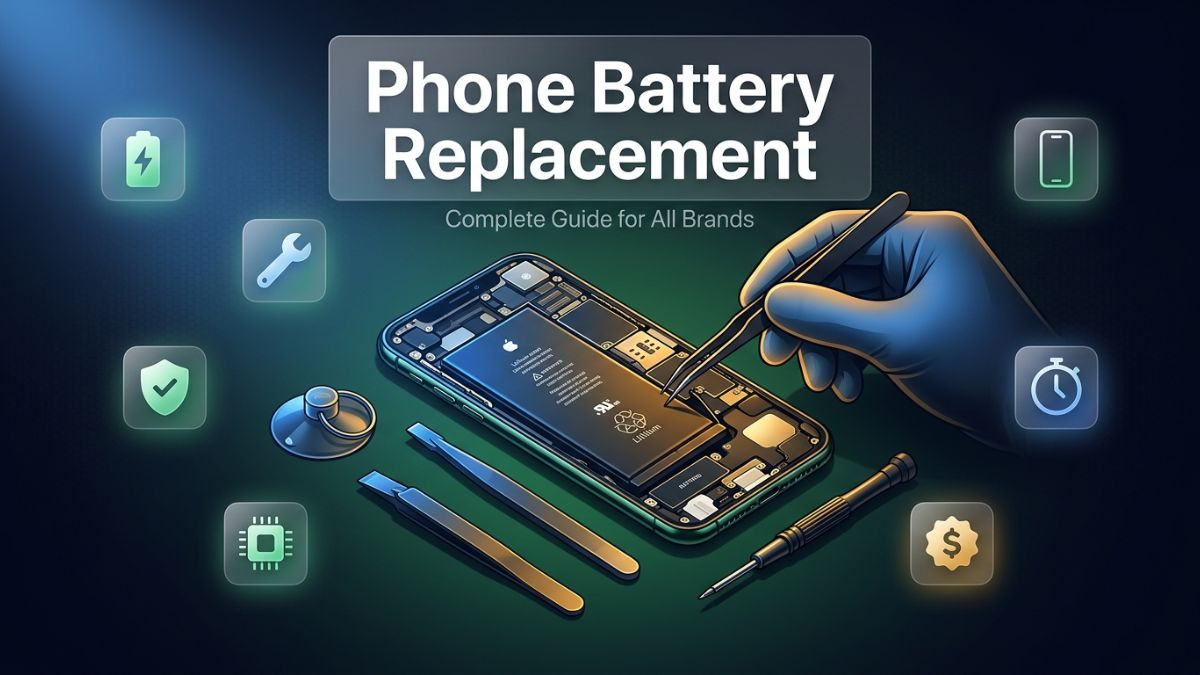
A smartphone battery is not built to last forever. That simple fact affects hundreds of millions of device users every single year, yet most people either ignore the warning signs until the problem becomes critical or make the mistake of assuming the only solution is buying a new phone. Neither response serves them well financially or practically.
The battery is, by every meaningful measure, the most consumable component inside any smartphone. Unlike the processor, the screen, or the logic board, the battery undergoes a chemical aging process with every single charge cycle. Over time, its ability to hold and deliver charge diminishes in a way that is both inevitable and measurable. What changes is how quickly that degradation happens, and that depends heavily on how the device is used and maintained.
This guide covers everything a smartphone user needs to know about phone battery replacement — from recognizing the early warning signs to understanding the full replacement process, from brand-specific considerations to cost breakdowns, and from safe DIY approaches to knowing when professional help is the smarter choice. Whether you own an iPhone, a Samsung Galaxy, a Google Pixel, or any other major brand, the information here applies directly and practically to your situation.
The smartphone landscape in 2026 is more competitive and feature-rich than ever. Devices like the Samsung Galaxy S25 Ultra, Google Pixel 9 Pro, iPhone 17 Pro Max, OnePlus 13, and the Xiaomi 15 Ultra are among the most capable handsets available, but even these cutting-edge devices are not immune to battery degradation. Knowing how to address it confidently is a skill every smartphone user should have.
How Smartphone Batteries Work and Why They Degrade
Understanding the basic science behind smartphone batteries removes the mystery from degradation and helps users make more informed decisions about maintenance, replacement timing, and long-term device care.
Nearly every modern smartphone uses a lithium-ion battery or, in newer premium models, a lithium polymer variant. These batteries store and release energy through an electrochemical reaction that occurs between a lithium-based cathode and a graphite anode, separated by an electrolyte medium. When the battery charges, lithium ions move from the cathode to the anode. When it discharges, those ions move back, generating the electrical current that powers the device.
This movement of lithium ions is highly efficient, but it is not perfectly reversible. With each charge and discharge cycle, microscopic structural changes accumulate inside both the cathode and anode materials. The electrolyte gradually degrades. The ions encounter increasing resistance as the internal structure becomes less uniform. Over hundreds and eventually thousands of cycles, the battery's ability to accept, retain, and deliver a full charge diminishes in a process that engineers call capacity fade.
Most manufacturers rate their smartphone batteries to retain approximately 80% of their original capacity after 500 full charge cycles. In practical terms, a person who charges their phone once per day will reach 500 cycles in roughly 18 months. By that point, the battery that once lasted a full day on a single charge may struggle to reach mid-afternoon. By 800 to 1,000 cycles, performance degradation becomes difficult to ignore.
Temperature is one of the most aggressive accelerators of battery aging. Charging the phone while it is hot, leaving it in a car on a warm day, or consistently using it at high load while the temperature climbs all accelerate the chemical degradation inside the cell. Similarly, consistently charging to 100% and depleting to 0% — rather than keeping the charge between 20% and 80% — places additional stress on the battery's chemistry that shortens its useful life.
Fast charging technology, which has become standard on premium devices, also contributes to faster degradation if used exclusively. Devices like the OnePlus 13 and Xiaomi 15 Ultra support charging speeds of 100W and beyond, which are impressive for convenience but do generate more heat during the charging process than standard-speed charging. Most manufacturers build in thermal management systems to mitigate this, but the underlying stress on the battery chemistry remains a factor over time.
Signs You Need a Phone Battery Replacement
Catching the signs of a failing battery early is valuable. Early replacement is always easier, cheaper, and less disruptive than waiting until the battery causes the phone to behave erratically or shut down unexpectedly.
The most commonly recognized sign is a dramatic reduction in battery life. A phone that once lasted a full day on a single charge now needs a top-up by lunchtime, or by mid-morning in more severe cases. This reduced runtime directly reflects the battery's diminished capacity and is typically the first symptom users notice and report.
Unexpected shutdowns are another significant indicator. The phone shows 20%, 30%, or even 40% battery remaining and then abruptly powers off. This happens because the battery's internal resistance has increased to the point where it cannot sustain the power draw of the phone's processor under load, even when the displayed charge level suggests sufficient power remains. This is a clear and urgent sign that a battery replacement is needed.
Physical symptoms should never be ignored. A battery that is swelling — which manifests as a slight bulge in the rear of the phone, difficulty closing the back panel, or a screen that appears to be lifting slightly at the edges — is a serious safety concern. Lithium-ion batteries swell when internal gases build up due to degraded chemistry, and a swollen battery poses a risk of rupture or fire if left in use. Any phone showing these signs should be powered off and taken to a professional repair service immediately.
Overheating during regular use — not just during gaming or heavy workloads, but during calls, browsing, or even when the screen is on standby — can also indicate a degraded battery working harder than it should to maintain output. Similarly, a phone that takes unusually long to charge despite using an appropriate charger may have a battery that is no longer accepting charge efficiently.
| Warning Sign |
Severity Level |
Recommended Action |
| Noticeably shorter battery life |
Moderate |
Check battery health, consider replacement |
| Needs charging twice daily |
Moderate-High |
Schedule battery replacement soon |
| Unexpected shutdowns above 15% |
High |
Replace battery promptly |
| Phone overheats during normal use |
High |
Professional diagnostic recommended |
| Battery percentage jumps or drops erratically |
High |
Replacement needed, avoid heavy use |
| Visible swelling or screen lifting |
Critical |
Power off immediately, seek professional help |
| Very slow charging with good charger |
Moderate |
Check port first, then evaluate battery |
How to Check Phone Battery Health Before Replacement
Before committing to a battery replacement, confirming the battery's actual condition through available diagnostic tools is a practical first step. This prevents unnecessary replacement when the battery is still in acceptable condition and confirms the need when it is not.
On iPhones running iOS 11.3 and later, the battery health feature is built directly into the operating system. Navigate to Settings, then Battery, then Battery Health and Charging. The screen displays the maximum capacity as a percentage of the original design capacity. Apple recommends battery service when this figure drops below 80%. A reading of 75% or lower means performance throttling may already be active, and replacement should be prioritized.
Android devices vary in how they expose battery health data natively. Some manufacturers include a battery health feature in their settings menu. Samsung devices running One UI offer a battery health percentage in the Device Care section of Settings. Google Pixel phones running Android 14 and later display battery cycle count and health status in Settings under Battery. For Android devices that do not expose this data natively, third-party diagnostic applications such as AccuBattery or CPU-Z can provide reasonably accurate health estimates by monitoring charging behavior over time.
Technicians at professional repair shops use dedicated diagnostic tools that read battery health data directly from the device's battery management system, providing more precise readings than consumer-facing apps. If you are uncertain about the accuracy of your phone's native health reading, a professional diagnostic assessment is worth requesting before committing to a replacement — especially on newer premium devices where the battery replacement cost is higher.
One practical field test is the usage-time test. Note the exact battery percentage when you begin using the phone from a full charge, use it through your normal routine, and track how long it takes to drop to 20%. Comparing this to the original manufacturer-rated battery life for your specific model gives a real-world indication of how much capacity has been lost.
Common Phone Battery Problems and Their Fixes
Not every battery-related symptom requires immediate replacement. Some issues have simpler explanations and solutions that are worth addressing before concluding the battery itself is at fault.
Mobile battery draining fast is one of the most commonly reported smartphone complaints, but it is not always caused by battery degradation. Background app activity is a frequent culprit. Apps that run continuously in the background — refreshing content, tracking location, or maintaining network connections — consume significant battery power without the user's awareness. Reviewing background app refresh settings on iOS or battery usage data on Android often reveals one or two applications responsible for the majority of unexplained drain.
Screen brightness is another significant drain source. The display is typically the single largest power consumer in a smartphone, particularly on devices with large, high-refresh-rate OLED panels like those found in the Samsung Galaxy S25 Ultra or the iPhone 17 Pro Max. Running the screen at maximum brightness continuously can double or even triple the rate of battery consumption compared to using adaptive brightness intelligently.
Software bugs introduced through operating system updates occasionally cause abnormal battery drain by keeping the CPU at elevated activity levels. Performing a full device restart, allowing the phone to complete a full charge cycle after an update, and monitoring usage statistics for a few days after any major update often resolves software-induced drain without any hardware intervention.
However, when these software and settings-based fixes fail to resolve the issue, and when battery health readings confirm degradation, the problem is genuinely physical. At that point, a full battery replacement is the
only effective solution. No app, setting, or software update can restore the chemical capacity of a degraded lithium-ion cell.
Phone Battery Replacement Tools and Kit: What You Need
For users considering a DIY battery replacement, having the right tools is not optional — it is essential. Attempting a battery replacement with incorrect or low-quality tools dramatically increases the risk of damaging the phone, injuring yourself, or creating a hazardous situation involving the battery.
A proper phone battery replacement kit for most modern smartphones should include a precision Phillips and Pentalobe screwdriver set to handle the various small screw types used by different manufacturers. A plastic spudger and multiple plastic opening picks are necessary for safely prying open device housings without scoring or scratching the frame. A suction cup or suction handle is useful for lifting glass panels, particularly on modern frameless designs.
For adhesive-sealed batteries — which now account for the vast majority of current smartphone designs — an iOpener heating tool or a heat gun with precise temperature control is needed to soften the adhesive sufficiently for safe removal. Heat mats designed specifically for phone repair are available and offer more controlled, even heat distribution than a heat gun.
Battery pull tabs or isopropyl alcohol applied to adhesive strips help free the battery from the chassis without bending or puncturing it. This step is critical — never attempt to lever a glued battery out with a metal tool or excessive force. Puncturing a lithium-ion battery can cause immediate thermal runaway, releasing toxic gases and potentially starting a fire.
Anti-static equipment, including a wrist strap and anti-static mat, should be considered non-negotiable. The sensitive electronics inside any smartphone can be permanently damaged by static discharge from bare hands, even in conditions where no visible static is present.
| Tool |
Purpose |
DIY Necessity Level |
| Pentalobe and Phillips screwdrivers |
Remove housing and internal screws |
Essential |
| Plastic spudger and opening picks |
Safely pry open device casing |
Essential |
| Suction cup or handle |
Lift glass panels without cracking |
Essential |
| iOpener or heat mat |
Soften adhesive for safe panel removal |
Essential for adhesive-sealed devices |
| Isopropyl alcohol (90%+) |
Dissolve battery adhesive strips |
Highly recommended |
| Anti-static wrist strap and mat |
Prevent electrostatic discharge damage |
Essential |
| Tweezers (plastic-tipped) |
Handle small components and connectors |
Recommended |
| Spudger with flat end |
Disconnect ribbon cables safely |
Essential |
| Replacement adhesive strips |
Re-seal battery after installation |
Required for quality finish |
DIY Phone Battery Replacement Steps: A Brand-by-Brand Overview
The general process for replacing a smartphone battery follows a similar sequence across most brands, but the specific details — how the housing opens, where the battery connector is located, and how the battery is secured — vary meaningfully between manufacturers and even between models from the same brand.
iPhone (iPhone 15, iPhone 16 Pro Max, iPhone 17 Pro Max, iPhone Air):
Apple's newer iPhones use a combination of pentalobe screws, strong display adhesive, and a battery adhesive system that in recent models includes an electrically-released adhesive strip controllable through iOS settings. Begin by powering off the device fully. Remove the two pentalobe screws at the bottom of the phone. Apply gentle heat around the display perimeter to soften the adhesive, then use a suction cup and opening pick to carefully separate the display. Disconnect the battery connector first before touching any other component. The battery is secured with adhesive strips that should be pulled slowly at a low angle to release without breaking. Install the new battery, reconnect all connectors, and reseal the display with fresh adhesive.
Samsung Galaxy (Galaxy S26 Ultra, Galaxy Z Fold 7, Galaxy Z Flip 7):
Samsung's flagship devices, including the foldable series, use strong adhesive bonding on both front and rear glass panels. The process involves softening the rear glass with heat, using opening picks to carefully separate it without cracking, accessing the internal battery connector, and removing the battery from its adhesive bed. Samsung foldables add complexity due to the hinge mechanism and dual-screen architecture — these models are strongly recommended for professional service only due to the high risk of damaging the delicate folding display during disassembly.
Google Pixel (Pixel 10 Pro, Pixel 9 Pro XL):
Google has made notable strides in repairability with recent Pixel devices. The Pixel 9 series uses a rear-panel design that can be opened with heat and suction, and the battery is secured with pull-tab adhesive strips similar to those used in iPhones. Google also provides official repair documentation and partners with iFixit for parts and guides, making the Pixel one of the more DIY-friendly flagship options available.
OnePlus (OnePlus 15, OnePlus 13R):
OnePlus devices follow a rear-panel-first disassembly approach. After applying heat to soften the rear adhesive, the panel separates from the frame with opening picks. The battery is typically secured with double-sided adhesive and accessible after removing a few Phillips screws from a bracket. OnePlus batteries are among the larger-capacity cells in the Android flagship space, often exceeding 5,000mAh, which makes careful handling during removal particularly important.
Xiaomi (Xiaomi 15 Ultra, Xiaomi 15 Pro):
Xiaomi devices, particularly the Ultra series, use a ceramic or glass rear panel that is significantly more fragile than standard glass and requires extra care during heat application. The internal layout is tightly packed, and the battery adhesive is aggressive. Professional replacement is strongly recommended for the Xiaomi 15 Ultra in particular due to the combination of fragile materials, complex internal architecture, and the high replacement cost of the rear panel if damaged.
DIY vs Professional Battery Replacement: Honest Comparison
The choice between doing a battery replacement yourself and taking the device to a professional is not simply a matter of cost. It involves honestly evaluating your technical skill level, the tools you have access to, the value of the device, and the consequences of a mistake.
DIY replacement is genuinely viable for users who have prior experience disassembling electronics, who have invested in a complete and quality tool set, and who are working on a device where replacement parts and guides are readily available — such as a Google Pixel or an older iPhone model. The potential saving is real: parts and tools for a DIY battery replacement often cost between $20 and $50 less than a professional service quote.
However, the risks of DIY are equally real and should be assessed honestly. Cracking the rear glass during opening is one of the most common and costly DIY mistakes. On a device like the Samsung Galaxy S25 Ultra, replacing a rear glass panel can cost as much or more than the original battery replacement itself. Similarly, tearing a ribbon cable, damaging a camera connector, or accidentally puncturing the battery during removal can escalate a simple battery swap into a complex multi-component repair.
Professional repair services bring calibrated tools, trained technicians, established procedures, and warranty coverage to the process. A quality professional shop will not just install the battery — they will test it under load, verify charging behavior, confirm that no secondary damage occurred during installation, and stand behind the work with a warranty. For premium devices like the iPhone 17 Pro Max, Samsung Galaxy S25 Ultra, or Xiaomi 15 Ultra, professional service is nearly always the more financially sensible choice when all risk factors are considered.
| Factor |
DIY Replacement |
Professional Service |
| Upfront cost |
Lower (parts + tools) |
Higher (labor included) |
| Risk of additional damage |
Moderate to High |
Low |
| Tool investment required |
$30–$80 for full kit |
None |
| Warranty on work |
None |
Typically 30–90 days |
| Time required |
1–3 hours for first attempt |
30–60 minutes |
| Part quality control |
User-dependent |
Professionally sourced |
| Software calibration |
Often unavailable |
Available at quality shops |
| Recommended for premium flagships |
No |
Yes |
| Recommended for older mid-range devices |
Sometimes |
Always reliable |
Original vs Aftermarket Phone Battery Replacement
The choice between an original equipment manufacturer battery and an aftermarket alternative is one of the most consequential decisions in the battery replacement process, and it deserves a thorough understanding rather than a reflexive choice based on price alone.
Original or OEM-equivalent batteries are manufactured to the exact specifications of the device model. They match the original capacity rating, use the same cell chemistry, and are built to communicate correctly with the device's battery management system. On iPhones in particular, Apple implements software-level authentication of battery components. A battery that does not meet Apple's verification requirements will trigger a notification in the Battery Health menu stating that the battery cannot be verified. While the phone will still charge and function, the battery health percentage will not be displayed, and some optimization features may be disabled.
Samsung and other Android OEMs are increasingly implementing similar component authentication in their newer flagship models. This means that using an unverified aftermarket battery on a Samsung Galaxy S25 Ultra or similar recent device may limit the functionality of battery optimization features and could void the remaining manufacturer warranty.
Aftermarket batteries range enormously in quality. At the lower end of the market, poorly manufactured cells may have inflated capacity ratings that do not reflect real-world performance, inadequate safety protections against overcharge or thermal events, and inferior cell chemistry that degrades faster than the original. At the higher end, reputable aftermarket manufacturers produce cells that perform very closely to OEM specifications at a meaningfully lower price.
For most users, the recommendation is clear: for devices still under warranty or that are fewer than two years old, use OEM or OEM-authorized replacement batteries. For older devices where cost is the primary consideration and the device is no longer under warranty, a high-quality reputable aftermarket battery from a trusted supplier is a reasonable option — provided it is sourced from a supplier with verifiable positive reviews and clear specifications.
Phone Battery Replacement Cost Guide for All Major Brands
Cost is one of the most practical factors in the battery replacement decision, and having realistic expectations before approaching a repair shop or placing a parts order is genuinely useful.
The cost of a professional battery replacement service varies based on the device model, the repair provider, the parts used, and geographic location. The figures below represent general market ranges for professional service at reputable independent repair shops in the United States as of 2026.
| Device Model |
Estimated Battery Replacement Cost |
Notes |
| iPhone 15 / iPhone 15 Plus |
$70–$100 |
USB-C, OEM pairing recommended |
| iPhone 16 Pro / iPhone 16 Pro Max |
$85–$120 |
OEM calibration required |
| iPhone 17 Pro Max / iPhone Air |
$90–$140 |
Latest model, premium part cost |
| Samsung Galaxy S25 / S25+ |
$80–$110 |
Strong adhesive, careful disassembly |
| Samsung Galaxy S25 Ultra |
$90–$130 |
Complex internal layout |
| Samsung Galaxy Z Fold 7 |
$120–$180 |
Foldable complexity, dual battery |
| Samsung Galaxy Z Flip 7 |
$100–$150 |
Compact, dense internal layout |
| Google Pixel 9 Pro |
$65–$95 |
High repairability, OEM parts available |
| Google Pixel 9 Pro XL |
$70–$100 |
Similar to Pixel 9 Pro process |
| OnePlus 13 |
$60–$90 |
Accessible rear panel design |
| Xiaomi 15 Ultra |
$85–$130 |
Ceramic panel fragility adds risk |
| Apple (via AppleCare+) |
$0–$29 |
Covered if capacity below 80% |
| Apple out-of-warranty (official) |
$99–$149 |
Model-dependent fixed pricing |
Independent repair shops consistently offer more affordable rates than manufacturer service centers, often at 20% to 40% lower cost while using quality parts. For users seeking affordable phone battery replacement service without compromising on quality, a reputable local shop is typically the best combination of value, speed, and reliability.
How Long Does a Phone Battery Replacement Take
One of the most practical questions users ask before scheduling a repair is how much of their day the process will consume. The answer varies based on the device model, the repair provider's workload, and the method of service.
At a well-equipped professional repair shop handling standard models, most battery replacements are completed within 30 to 60 minutes. This includes the full disassembly, removal of the old battery, installation and testing of the new battery, reassembly, and a brief functional check before the device is returned. For devices with particularly complex disassembly — such as Samsung Galaxy foldables or the Xiaomi 15 Ultra — the process may extend to 90 minutes.
Same day phone battery replacement is the standard service model at most professional walk-in repair shops. You bring the device in, the technician assesses and confirms the replacement is needed, and the repair is completed while you wait or run a brief errand. This same-day turnaround is one of the most significant advantages of professional in-shop service over manufacturer mail-in programs, which typically take five to ten business days from the time you ship the device to the time it is returned.
DIY replacement times vary much more widely. A first-time DIY battery replacement on a modern smartphone typically takes between one and three hours, including the time spent watching guidance videos, carefully following steps, and troubleshooting any unexpected complications. Experienced DIY repair enthusiasts may complete the same job in 45 minutes, but this level of efficiency comes only with practice.
Safe Battery Replacement for Damaged Phones
Replacing the battery in a phone that has already sustained physical damage requires additional caution and assessment. A cracked rear panel, a compromised frame, prior water damage, or a swollen battery all introduce variables that change the risk profile of the replacement process.
A swollen battery is the most urgent scenario. If the battery is visibly swollen — causing the screen to lift, the back panel to bulge, or the device to feel thicker than normal — it should be treated as a safety situation before a repair situation. Never attempt to charge a device with a swollen battery. Do not press on the swelling or attempt to pop it. Power the device off by holding the power button, and if the battery is swollen enough that the phone will not respond, do not force it. Place the device on a non-flammable surface away from other objects and bring it to a professional repair service as soon as possible.
For phones with prior water damage, the internal components may have corrosion that complicates the replacement and affects the long-term reliability of the repair. A thorough inspection and ultrasonic cleaning of the board before battery replacement is recommended in these cases, which is another reason why professional service is the appropriate choice for damaged devices.
Cracked rear panels require careful disassembly to avoid worsening the damage and to prevent glass shards from contaminating the interior. Professional technicians have the tools and experience to manage this safely; DIY attempts on a phone with a compromised housing carry a significantly elevated risk of additional damage.
High Capacity Phone Battery Replacement Options
Some users — particularly those who rely heavily on their smartphone for work, travel, or professional use — prioritize maximum runtime above all other considerations. For these users, high capacity battery options are worth understanding.
High capacity aftermarket batteries offer cell capacity that exceeds the original manufacturer specification, typically by 10% to 30%. In practical terms, this means a battery that originally held 4,500mAh might be replaced with an aftermarket cell rated at 5,500mAh or higher. This sounds attractive, but the reality is more nuanced than the capacity numbers suggest.
For the extra capacity to physically fit inside the device, the battery must be slightly thicker or denser than the original. Well-engineered high-capacity replacement batteries designed for specific models are built to fit within the original housing dimensions using higher energy-density cell chemistry. Poorly designed ones require the back of the phone to sit slightly proud of the frame, compromising the device's structural integrity and waterproofing.
Additionally, the device's charging circuitry is calibrated for the original battery's charge characteristics. A high-capacity cell with different internal resistance and voltage curves may not charge optimally, and in some cases, the battery management system may display inaccurate charge percentages or fail to fully utilize the additional capacity. These limitations are important to understand before choosing a high-capacity option.
For most users, a quality OEM-equivalent replacement at the original specified capacity is the better choice. The additional complexity and potential compatibility issues of a high-capacity replacement are generally not justified unless the user has a specific, well-researched reason to pursue that route.
Eco-Friendly Phone Battery Replacement Practices
The environmental dimension of battery replacement is an aspect that deserves more attention than it typically receives. Lithium-ion batteries contain materials including lithium, cobalt, nickel, and manganese — all of which are mined through processes with significant environmental impact. Improper disposal of old batteries compounds this impact by introducing toxic materials into landfills and water systems.
Eco-friendly phone battery replacement begins with extending the interval between replacements as long as practically possible through good battery hygiene — using optimized charging habits, avoiding extreme temperatures, and keeping the phone's software updated for energy efficiency improvements. Every additional year of service life extracted from both the original battery and the device itself reduces environmental impact meaningfully.
When replacement does become necessary, proper recycling of the old battery is not optional from an environmental responsibility standpoint. Most professional repair shops accept old batteries for recycling, and major retailers in the United States are required to provide battery recycling drop-off points under various state programs. Never dispose of a lithium-ion battery in household trash or recycling bins — it belongs in a dedicated battery recycling facility.
Choosing an OEM or high-quality replacement battery also has an indirect environmental benefit: better-quality batteries last longer before requiring their own replacement, reducing the total number of batteries consumed over the device's lifetime. The apparent cost saving of a very cheap aftermarket battery that lasts only 12 months before degrading is quickly erased when the environmental and financial cost of another replacement cycle is factored in.
Upgrade Phone Battery Performance Tips After Replacement
A fresh battery does not automatically guarantee optimal performance unless complemented by smart usage habits. Maximizing the longevity and performance of a new battery from the first day of use sets the foundation for years of reliable operation.
After installing a new battery, allow the phone to complete two or three full charge-and-discharge cycles. This helps the battery management system calibrate its readings accurately, ensuring that the displayed charge percentage reflects real-world capacity. Charge the battery to 100%, use it until it reaches approximately 10% to 15%, then charge back to full. Repeat this cycle a few times before settling into everyday charging habits.
For ongoing use, keep the battery charge between 20% and 80% as much as practically possible. Most manufacturers now include charging optimization features in their operating systems — Apple's Optimized Battery Charging, Samsung's Protect Battery mode, and Google Pixel's Adaptive Charging all use learned usage patterns to slow charging and avoid holding the battery at 100% for extended periods. Enable these features and allow them to function as designed.
Avoid overnight charging if your phone lacks a smart charging optimization feature. Holding a lithium-ion battery at 100% charge while connected to power for hours at a time generates low-level heat that gradually accelerates degradation. Using a smart plug with a timer or enabling the phone's own charging optimization feature mitigates this effectively.
Keep the phone in environments with reasonable temperatures. Anything above 35°C or below 0°C is outside the optimal operating range for lithium-ion chemistry and accelerates capacity fade. Remove thick cases during intensive charging sessions if the phone tends to run warm, as heat trapped by a case during charging is a subtle but meaningful long-term stressor on the battery.
How to Find a Reliable Battery Replacement Service Near You
The quality of a battery replacement service is only as good as the shop performing it, and not all repair shops are created equal. Identifying a reliable provider before handing over your device protects both the device and your investment in the repair.
When searching for phone battery replacement near me, prioritize businesses that are transparent about their parts sourcing and clearly communicate whether they use OEM, OEM-equivalent, or aftermarket cells. A shop that cannot or will not answer this question directly is not one to trust with a premium device. Legitimate repair businesses are proud of the parts they use and understand why it matters to customers.
Check the shop's warranty policy before agreeing to any service. A reputable battery replacement service will offer at minimum a 30-day warranty on parts and labor, with many quality shops offering 90 days or longer. This warranty covers both the battery itself and any workmanship issues that arise from the installation process. Shops that offer no warranty or only a vague verbal assurance are a risk.
Online reviews across multiple platforms — Google Maps, Yelp, and Facebook — provide a reliable aggregate picture of a shop's actual service quality. Look for consistency in positive reviews mentioning specific technician names, fast turnaround, and problems resolved on the first visit. A single highly positive review or a cluster of reviews posted within a short timeframe can indicate fabrication; a sustained pattern of genuine reviews over months and years is a reliable trust signal.
For users in the Laurel, Maryland area, Phone Repair Point is a trusted and professional option offering battery replacement and a full range of smartphone repair services with experienced technicians and quality parts.
Professional Mobile Battery Repair Service: What to Expect
Walking into a professional mobile battery repair service for the first time is a more reassuring experience when you know what the process involves. Transparency from the repair provider is a key indicator of their professionalism and trustworthiness.
The process begins with a diagnostic assessment. A knowledgeable technician will ask you to describe the symptoms you have been experiencing, test the device's battery health using professional diagnostic tools, and confirm whether battery replacement is the appropriate solution. They may also identify secondary issues — such as a damaged charging port or software problems — that could affect the outcome of the repair or that the customer was unaware of.
Once the diagnosis confirms the need for battery replacement and the customer agrees to the service quote, the technician begins the disassembly process in a clean, organized workspace using calibrated tools. The procedure follows established model-specific steps, and the technician applies the appropriate heat levels and techniques for the specific device being serviced.
After the new battery is installed, comprehensive testing takes place before the device is returned. This includes verifying that the battery is recognized correctly by the device's operating system, confirming that charging begins immediately and at the expected rate, running a brief load test to check for anomalies, and ensuring that the display of battery percentage behaves normally. Any quality professional repair service will also run a check on the surrounding components — connectors, charging port, and display — to confirm that nothing was inadvertently disturbed during the repair.
For users with multiple devices needing attention, shops like Phone Repair Point also handle iPhone repair, Samsung repair, screen repair, and laptop repair services, making it convenient to address multiple device needs in a single visit.
Phone Battery Replacement Checklist Guide
Having a clear checklist before, during, and after a battery replacement — whether DIY or professional — ensures nothing important is overlooked and that the process goes as smoothly as possible.
Before the Replacement:
- Back up all data to iCloud, Google Drive, or a computer
- Note the current battery health percentage for comparison after replacement
- Confirm the replacement battery part number matches your exact device model
- Gather all required tools if performing a DIY replacement
- Confirm the repair shop's warranty terms and service details if using professional service
During the Replacement:
- Power off the device completely before beginning
- Disconnect the battery connector before touching any other internal component
- Apply heat gently and evenly when softening adhesive — never overheat
- Handle the old battery carefully — no bending, puncturing, or forcing
- Keep screws organized by size and position for correct reassembly
After the Replacement:
- Complete two to three full charge cycles to calibrate the battery management system
- Enable the device's battery optimization features in settings
- Monitor battery health readings over the first week to confirm normal behavior
- Store the old battery safely and bring it to a recycling facility
- Note the warranty expiry date from your repair receipt
Call-to-Action: Get Your Phone Battery Replaced Today
If your phone is struggling to make it through the day, shutting down unexpectedly, or showing any of the warning signs discussed throughout this guide, the right time to act is now. A degraded battery only worsens with continued use, and waiting increases the risk of a sudden failure at the worst possible moment.
At Phone Repair Point in Laurel, Maryland, a team of professional and experienced technicians is ready to diagnose and replace your phone battery quickly, reliably, and at a price that makes sense. Whether you own an iPhone, a Samsung Galaxy, a Google Pixel, or any other major smartphone brand, the team handles all models with the same standard of care, quality parts, and commitment to getting it right the first time.
Same-day battery replacement service is available for most devices. Walk-ins are always welcome, and appointments can be booked online for your convenience. Every battery replacement comes backed by a service warranty, giving you confidence that the repair will last. There are no hidden fees and no unnecessary upsells — just honest, straightforward repair service from technicians who know what they are doing.
Stop managing around a failing battery. Bring your device in today and leave with a phone that performs the way it should.
Phone Repair Point Laurel
Montrose Ave,
Laurel, MD 20707, United States
(240) 554-0099
https://phonerepairpoint.com/
Frequently Asked Questions
Q1: How do I know if my phone actually needs a battery replacement or if the problem is something else?
Start by checking the battery health percentage in your phone's settings — below 80% on iPhones or a significant decline on Android devices is a clear threshold for replacement. If the phone also shuts down unexpectedly, drains within hours of a full charge, or shows physical swelling, the battery is almost certainly the cause. A professional diagnostic at a repair shop can confirm this with greater precision if you remain uncertain.
Q2: Is it safe to use my phone while waiting for a battery replacement appointment?
For most cases of battery degradation — where the phone simply has reduced runtime — continued use is generally safe until the appointment. However, if the battery is swollen, the phone should be powered off immediately and not used or charged until the battery is replaced, as a swollen lithium-ion battery poses a genuine safety risk.
Q3: How long will a new replacement battery last before needing to be replaced again?
A high-quality OEM or OEM-equivalent replacement battery should retain at least 80% of its capacity for approximately 500 full charge cycles, which translates to roughly 18 to 24 months of typical daily use. With good charging habits — keeping charge between 20% and 80%, avoiding extreme temperatures, and using smart charging features — the useful life can extend to three years or beyond.
Q4: Will a battery replacement affect my phone's water resistance?
Opening any water-resistant smartphone to replace the battery does compromise the original factory seals. A professional repair service will apply appropriate replacement adhesive and gaskets during reassembly to restore a reasonable level of moisture protection, but the repaired device will not carry the original manufacturer's IP rating certification. Discuss this with your technician before proceeding if water resistance is a priority for your usage.
Q5: What is the difference between an original and an aftermarket phone battery replacement, and which one should I choose?
An original or OEM-equivalent battery matches the device's exact specifications and communicates fully with the phone's battery management system, ensuring accurate health readings and full optimization feature support. Aftermarket batteries vary widely in quality — budget options often underperform their rated capacity and degrade faster, while higher-quality aftermarket cells from reputable suppliers perform comparably to OEM at a lower cost. For devices still under warranty or fewer than two years old, OEM is the safer choice; for older devices, a quality aftermarket battery from a trusted source is a reasonable and affordable alternative.
Q6: Does phone battery replacement come with a warranty, and what does it cover?
Reputable professional repair shops typically offer a warranty of 30 to 90 days on battery replacement services, covering both the replacement cell itself and any workmanship issues resulting from the installation. This warranty generally does not cover physical damage caused by the user after the repair. Always ask for warranty terms in writing before agreeing to any battery replacement service, and keep your repair receipt for reference throughout the warranty period.